This option allows the user to produce a summary listing of all currently selected records
This report will be a simple one or two line per record layout, showing only the most important information of each record.
Choose Summary Report.
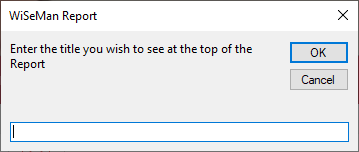
The system will display:
Enter the title you wish to appear at the top of each page, e.g. “Query of all Personnel with a Surname of Smith”.
Choose OK to produce the report with the user specified heading.
Choose Cancel to produce the report with the system specified heading, e.g. Personnel Summary.
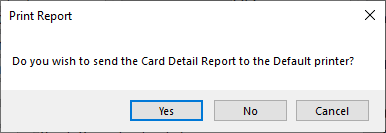
Providing a record is being displayed this report can be displayed on the screen or sent to the default printer.
Choose Yes to print the report.
Choose No to display the report to the screen.
Choose Cancel to avoid producing the report.
If a report is displayed to the screen the WiSeMan Print Ribbon will be available allowing the user to send the report to any valid printer or exported to a PDF document.